
KapeParser
A Windows desktop application for parsing KAPE triage collections — pick a source, run the parsers, browse organized per-artifact output.
Overview
What it does
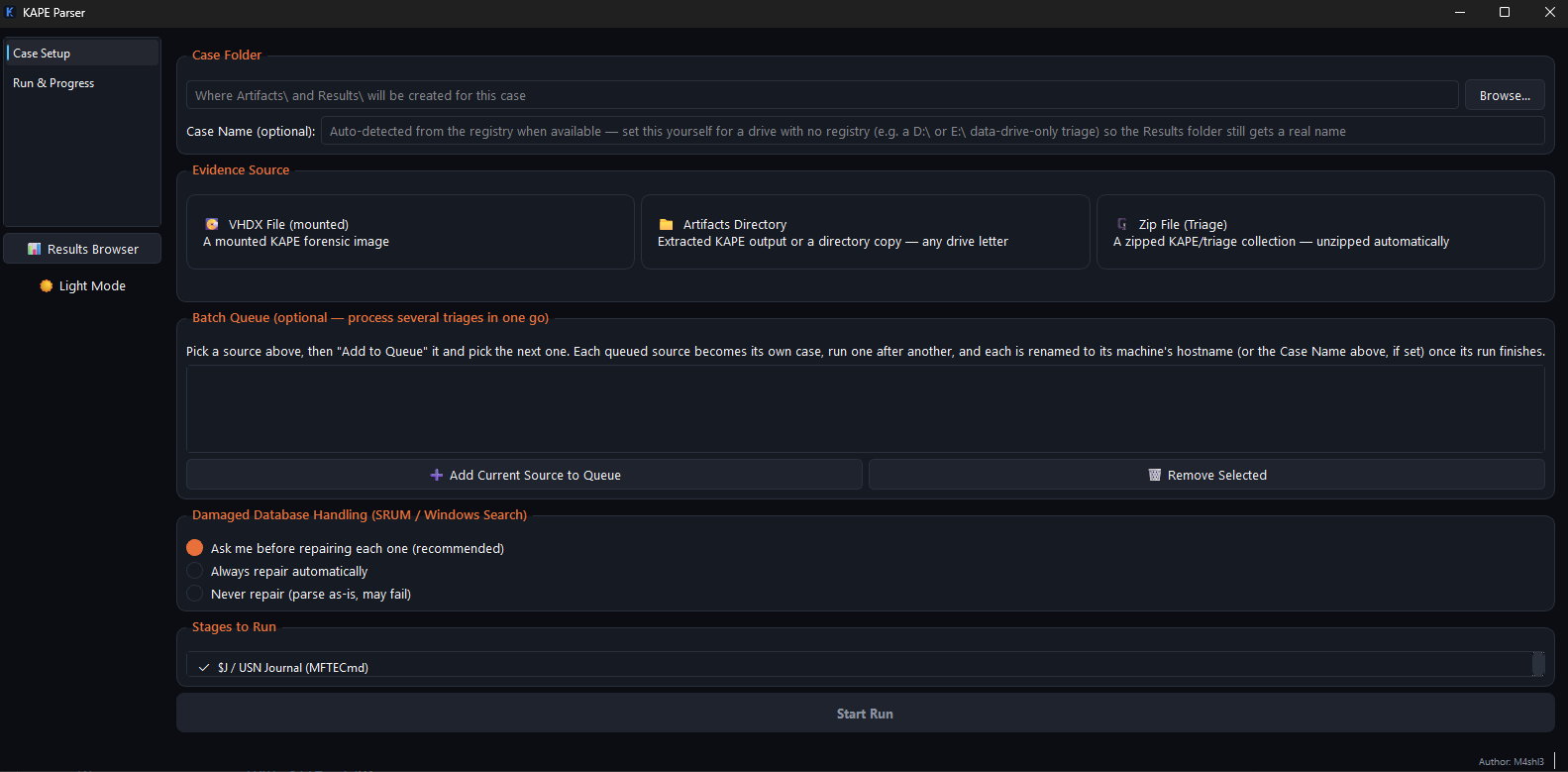
KapeParser replaces a legacy console script with a GUI workflow. Point it at a triage source — a mounted VHDX, a zip archive, or an already-extracted directory — choose which parsers to run, and get organized, searchable CSV and JSON output without leaving the tool.
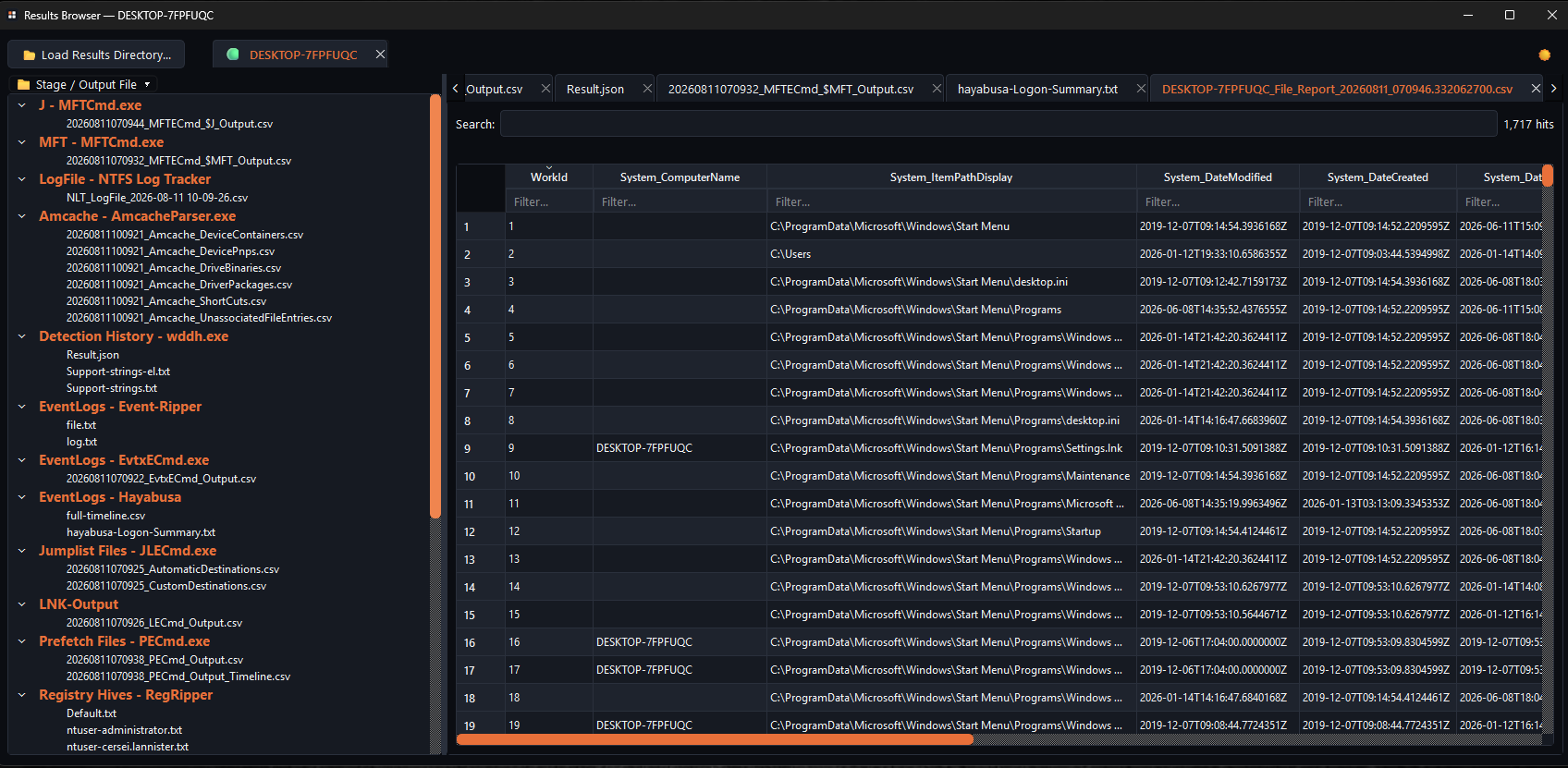
The project is split into two executables sharing one distribution folder: KapeParser configures a case and runs the parsing pipeline with live per-stage progress; KapeResultsBrowser is a standalone companion for browsing parsed output from any past case, independent of the main tool.
Features
Mounted VHDX, zip archive, or extracted directory — detected from any drive letter, not just C.
Queue multiple sources; each is processed sequentially as its own case.
Named from the parsed registry's ComputerName, with a manual override when there is no registry to read.
Handles Windows' own "Compress to Zip" method, with a 7-Zip fallback and a tar fallback beyond that.
Ask, always, or never repair SRUM and Windows Search databases collected in a dirty-shutdown state.
Per-case tabs, JSON syntax highlighting, and a DuckDB-backed CSV viewer with filtering and highlighted search.
Screenshots
Download
Full package
Includes the Tools\ folder — ready to run without a separate download step.
Password : 123
Download — Full Package (v1.3)
Version History
- v1.0
- v1.1
- v1.2
- v1.3 Current release